Sony VAIO SVL, L driver installation Windows 7 , Windows 8 download drivers .
When installing drivers on Sony VAIO important to follow the correct sequence for the installation of these drivers in order to avoid trouble with the function keys: volume, brightness , input switching , and others.
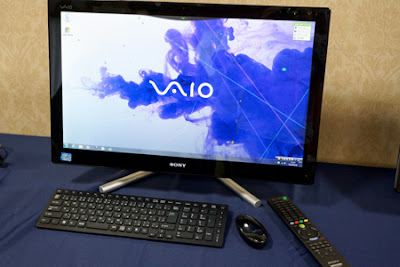
The procedure to install drivers for Windows 8 is as follows:
1. Intel Chipset Driver
2 . Intel ® 7 Series Chipset Family SATA AHCI Controller
2.1. SuperD SPD2900GS USB Driver
3 . Intel ® Management Engine Interface
4 . Intel ® HD Graphics 4000
5 . NVIDIA GeForce GT 620M
5.1. NVIDIA GeForce GT 640M
5.2 . Graphics_Driver_ (NVIDIA)
6. Realtek High Definition Audio
7. Ricoh Memory Card Reader Writer Driver SD CPRM
7.1. Ricoh PCIe Memory Stick Host Controlle
7.2 . Ricoh PCIe SD Host Controller
8. Bluetooth_Driver__-_8.0.0.212a
8.1. Qualcomm Atheros AR3012 Bluetooth ® Adapter
9. Qualcomm Atheros AR9485WB-EG Wireless Network Adapter
9.1. Sony Wireless State Device
10 . Realtek PCIe GBE Family Controller
11. Sony Firmware Extension Parser Device.EXE
12. Sony Shared library
13. Sony Video Processor
14. VAIO Location Utility
15. HotKey Utilities
16. CPU_Fan_Diagnostic
17. VAIO Hardware Diagnostics
If you like this article has helped you can thank the author's purse WebMoney Z276373925574
If Wasp some reason it does not work or you are the unwilling to spend their time - please contact us for help . Myproizvodim complete customization , installation and solve any problems notebooks Sony VAIO.
Anofriev Gregory Dnepropetrovsk
E-mail: grisha.anofriev@gmail.com
Tags : SVL2412L1EB,SVL2412M1EB,SVL2412M1RB,SVL2412V1EB,SVL2412Z1EB, SVL2412Z1RB
When installing drivers on Sony VAIO important to follow the correct sequence for the installation of these drivers in order to avoid trouble with the function keys: volume, brightness , input switching , and others.
Sony VAIO SVL, L ALL DRIVERS For WINDOWS 7 WINDOWS 8:
Link 2: Download Turbobit.net
Warning if the link broken or not working , you can write to me about it and I will try to solve this problem.
Warning if the link broken or not working , you can write to me about it and I will try to solve this problem.
Support my group on Facebook.com or Twitter join us! Thank you in advance for your support and that you have chosen my blog.
The procedure to install drivers for Windows 8 is as follows:
1. Intel Chipset Driver
2 . Intel ® 7 Series Chipset Family SATA AHCI Controller
2.1. SuperD SPD2900GS USB Driver
3 . Intel ® Management Engine Interface
4 . Intel ® HD Graphics 4000
5 . NVIDIA GeForce GT 620M
5.1. NVIDIA GeForce GT 640M
5.2 . Graphics_Driver_ (NVIDIA)
6. Realtek High Definition Audio
7. Ricoh Memory Card Reader Writer Driver SD CPRM
7.1. Ricoh PCIe Memory Stick Host Controlle
7.2 . Ricoh PCIe SD Host Controller
8. Bluetooth_Driver__-_8.0.0.212a
8.1. Qualcomm Atheros AR3012 Bluetooth ® Adapter
9. Qualcomm Atheros AR9485WB-EG Wireless Network Adapter
9.1. Sony Wireless State Device
10 . Realtek PCIe GBE Family Controller
11. Sony Firmware Extension Parser Device.EXE
12. Sony Shared library
13. Sony Video Processor
14. VAIO Location Utility
15. HotKey Utilities
16. CPU_Fan_Diagnostic
17. VAIO Hardware Diagnostics
If you like this article has helped you can thank the author's purse WebMoney Z276373925574
If Wasp some reason it does not work or you are the unwilling to spend their time - please contact us for help . Myproizvodim complete customization , installation and solve any problems notebooks Sony VAIO.
Anofriev Gregory Dnepropetrovsk
E-mail: grisha.anofriev@gmail.com
Tags : SVL2412L1EB,SVL2412M1EB,SVL2412M1RB,SVL2412V1EB,SVL2412Z1EB, SVL2412Z1RB
Yorumlar
Yorum Gönder